What the features are for

Convenience now. Evidence later.

Drilore connects daily car tasks with the records that answer four practical questions: where should I stop, what did this car cost, what can I give my accountant and what can I show a buyer?

Feature proof

The interface shows how the jobs connect.

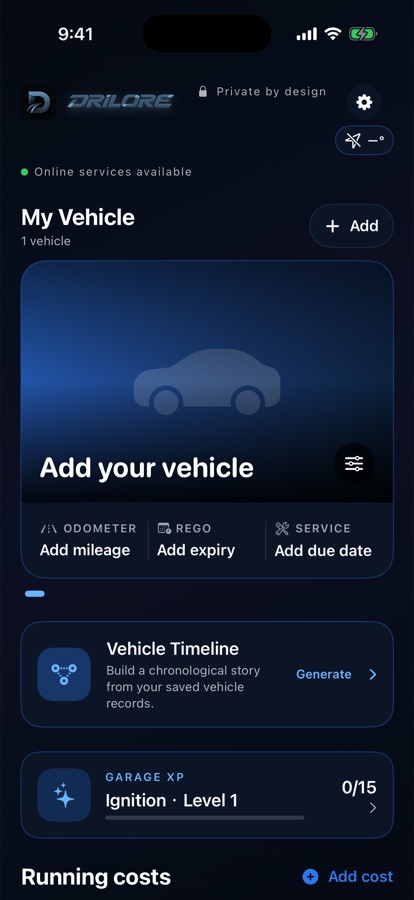
These are real Drilore 1.1 iOS screens, shown with the reason each interaction exists. The nearby tools, ledger and vehicle history are designed as one ownership workflow.

Local simulator captures with an empty demo Garage; no personal vehicle, receipt or location data is included.

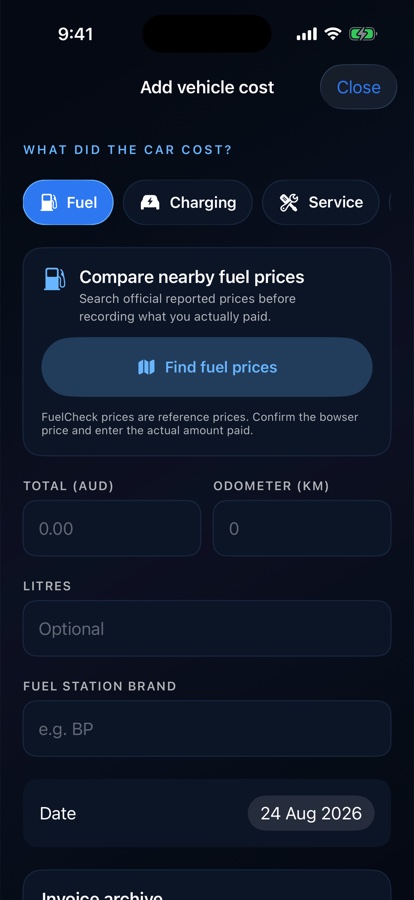
Drilore fuel cost flow with nearby FuelCheck price search
Drilore charging cost flow with nearby public charger search
01

Before the transaction

Nearby discovery sits inside the cost you are adding.

The owner does not have to leave the task, search elsewhere and later type the place back into a generic expense form.

What you see
The selected energy category changes both the nearby-search tool and the transaction fields.
Why it matters
Reported fuel prices or public charger details help with the immediate choice, while the actual amount remains the owner’s record.
What it becomes
One flow connects discovery, station context and the real cost paid by a specific vehicle.
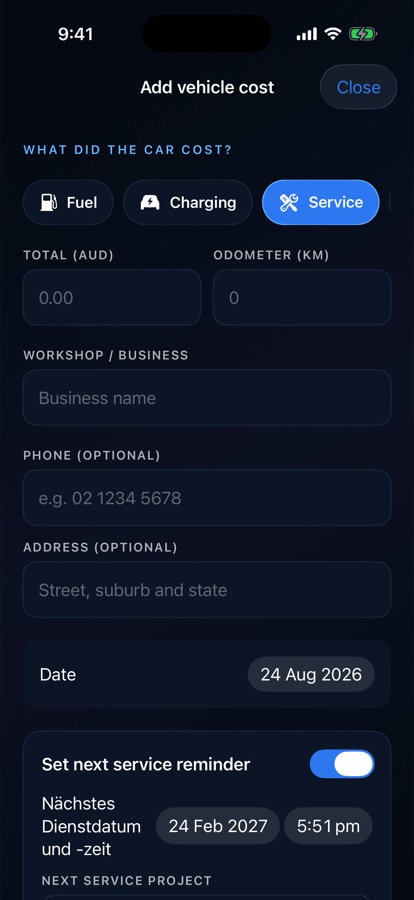
Drilore service expense form with workshop, odometer and date fields
Drilore car-wash expense form with business, odometer, date and wash-detail fields
02

After the transaction

Service and washing are recorded with the business and the car.

The same ledger covers routine operating cost and the care work that explains how the vehicle has been maintained.

What you see
Category-specific forms keep amount, mileage, business, contact and date context together.
Why it matters
The amount can be analysed as a cost, while the provider and work context remain available for maintenance history.
What it becomes
A purchase becomes both a ledger row and, where relevant, a dated care event for the vehicle.
Drilore record-completeness missions and Garage XP screen
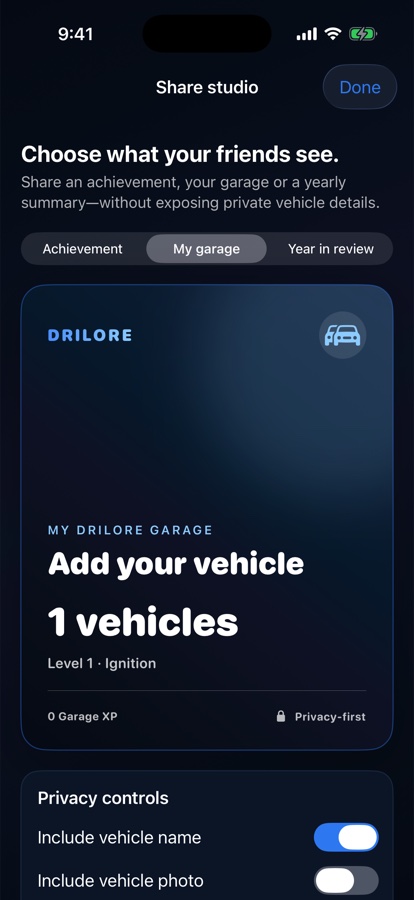
Drilore Share Studio with controls for vehicle name and photo
03

Completeness and control

Useful prompts do not remove the owner’s privacy choices.

Drilore can point out that current Rego, mileage or a vehicle photo would improve the record, then let the owner decide what a shared summary reveals.

What you see
The mission list explains missing record elements; Share Studio exposes separate name and photo controls.
Why it matters
Guidance can make records more useful without silently making the Garage public.
What it becomes
The owner keeps a strong private source record and creates a smaller shareable view only when needed.
01

Convenience

Useful searches inside the job you are already doing.

The fastest record is the one you do not need to reconstruct later. Drilore lets you find a stop, select it and carry useful details into the expense.

  • Nearby NSW FuelCheck price comparison
  • Public chargers with connector and reported power
  • Nearby car-wash map search
  • Selected vendor, address and price carried into the record
02

Cost clarity

A real ownership cost, not a fuel-only guess.

See spending by vehicle, category and time so a household daily driver, EV and weekend car do not blur into one number.

  • Fuel and charging
  • Service, repair and car wash
  • Insurance and finance
  • Cost per 100 km when the mileage data supports it
03

Accounting preparation

Turn scattered receipts into a reviewable export.

Drilore records the details behind each amount and exports the filtered rows you choose. That makes preparation easier without pretending the App can determine tax treatment.

  • Invoice date, number, supplier and payment method
  • GST, ABN, quantity, unit and line items
  • Vehicle, Rego and odometer context
  • CSV export for your spreadsheet or accountant
04

Maintenance evidence

Build the car-care history while you own it.

A dated record of service and repair work is useful for the next mechanic and can help explain the vehicle to a future buyer.

  • Service and repair timeline
  • Date and odometer for every saved event
  • Invoice image and editable work items
  • Context for recurring work and unresolved repairs
05

What comes next

Dates stay visible before they become problems.

Local reminders and widgets keep Rego and servicing near the vehicle they belong to instead of buried in a generic calendar.

  • Rego reminders at 30, 7 and 1 day
  • Service reminders at 14, 7 and 1 day
  • Next service date and mileage
  • Selected-vehicle home and Lock Screen widgets
06

Control

Useful records without automatic cloud dependence.

Version 1.1 keeps core Garage records on the device. Online services are contacted when you request a search, and encrypted exports remain under your control.

  • No account required for the local Garage
  • Location requested for nearby searches, not stored as a history
  • Encrypted Garage backup and restore
  • Future Cloud Garage planned as opt-in

Evidence behind the product

See the sources, assumptions and product boundaries.

Read the research